

Release Highlights Q1/2026
In release 2.11, the primary focus lies on the new dialog design. The design has been standardized across all dialogs, enabling intuitive operation similar to other well-known user interfaces. For route planning in the tugger train module, a new algorithm option called “Continuous” has been introduced, increasing the efficiency and flexibility of the routes. Through automated rerouting within the traffic management of the mobile robots, deadlocks can now be detected and resolved automatically. In addition, enhancements have been implemented, for example around SAP WM.
Dialog Redesign
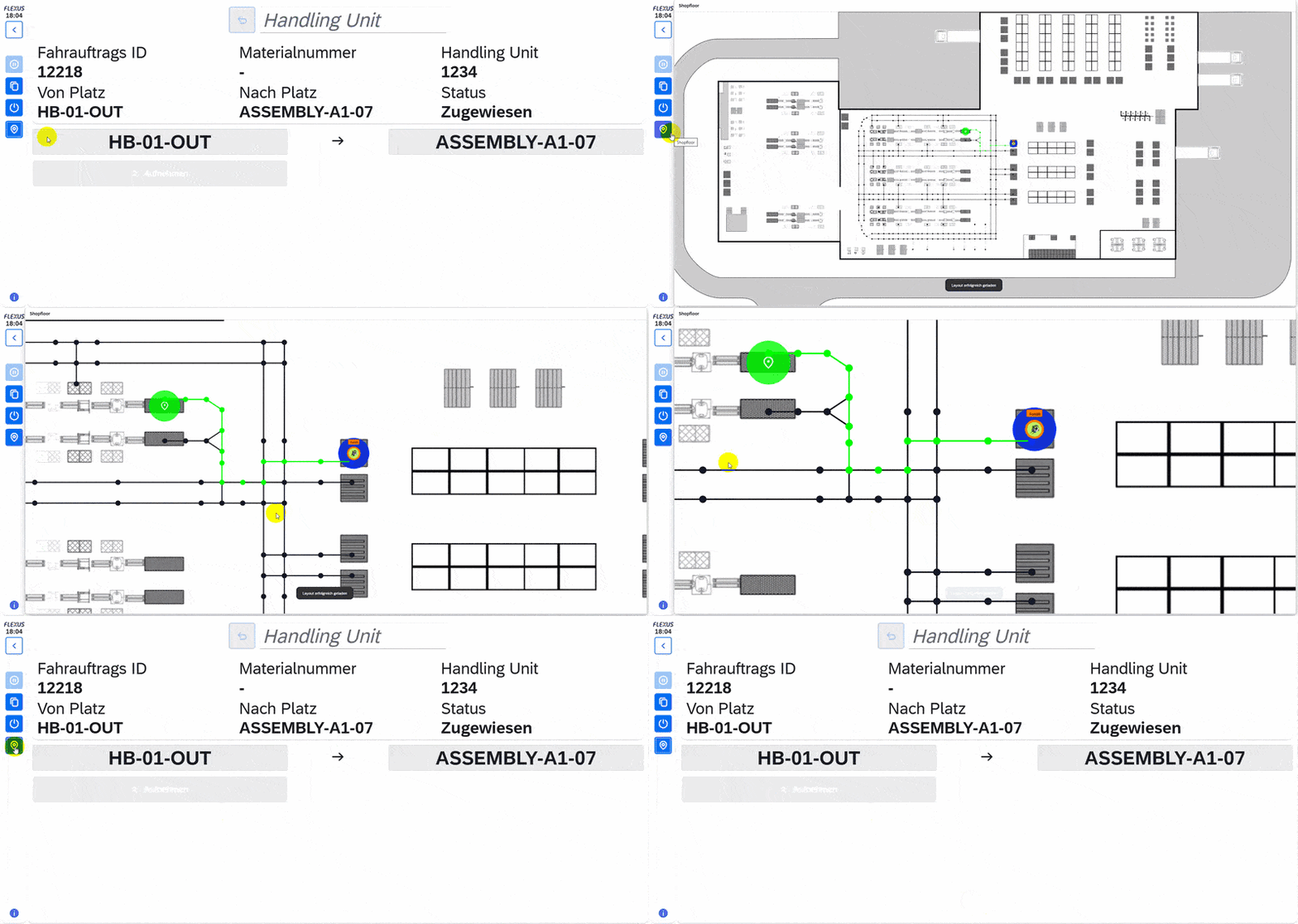
All dialogs have undergone a comprehensive redesign, which serves as a robust foundation for all future enhancements. Usability was also improved and stabilized through the use of Poka-Yoke elements that help prevent user errors.
For example, a 2D map view has been implemented in the “Drive driving order” dialog. It displays the current route, allowing the driver to quickly and easily orient themselves.
Key benefits:
- An intuitive and consistent user interface across all views
- Improved system stability and enhanced data consistency
- A wide range of options to map, support, and optimize your individual processes within FlexGuide4
Tugger Train: „Continuous“ Algorithm
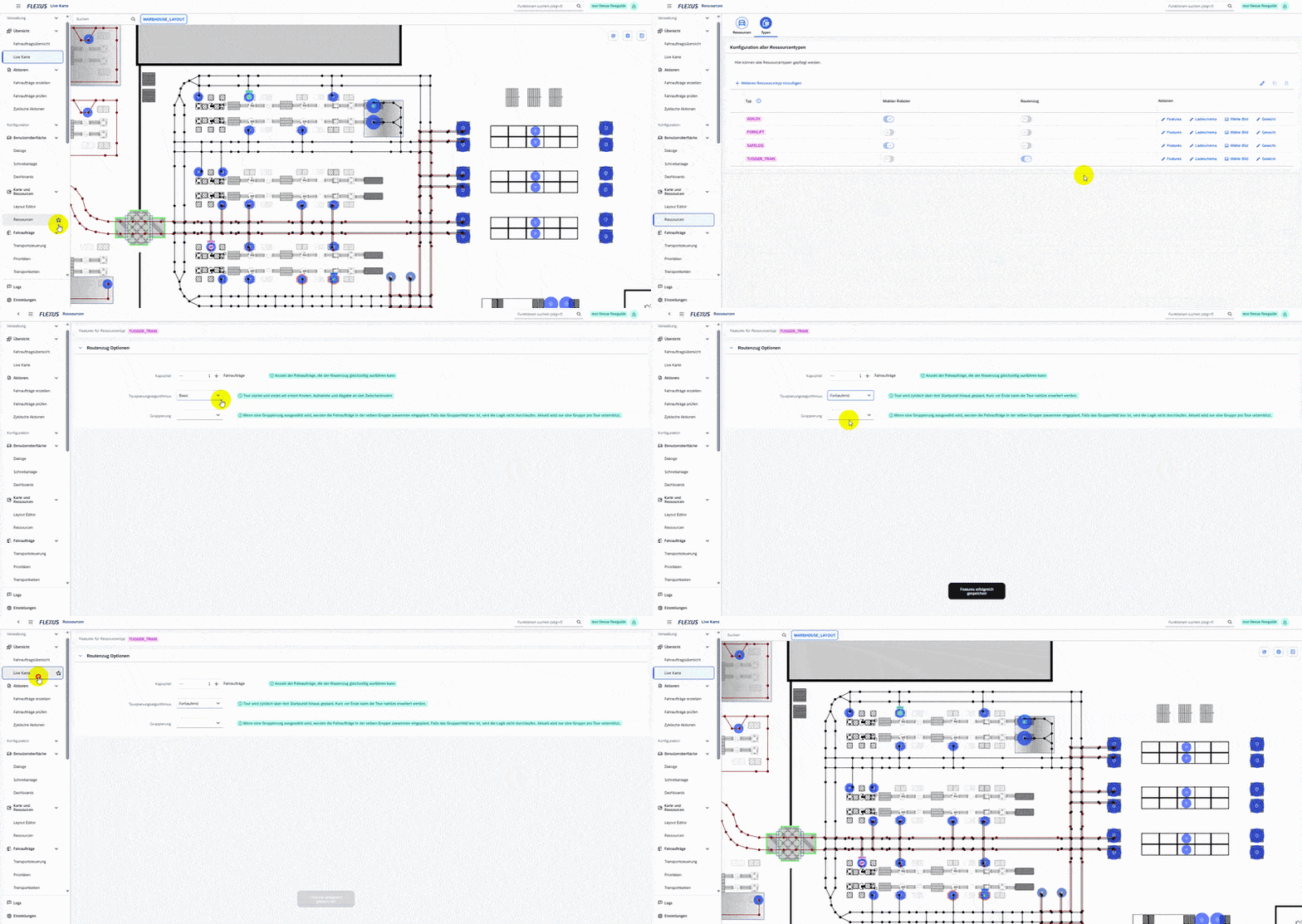
In addition to the existing “Basic” algorithm, the tugger train module has been enhanced with the new “Continuous” algorithm option. This enables continuous tour planning without requiring a fixed depot.
Key benefits:
- More efficient route tours through greater flexibility when serving stations
- Adjustable optimization levels tailored to your individual processes
Layout Editor: Creating Zones
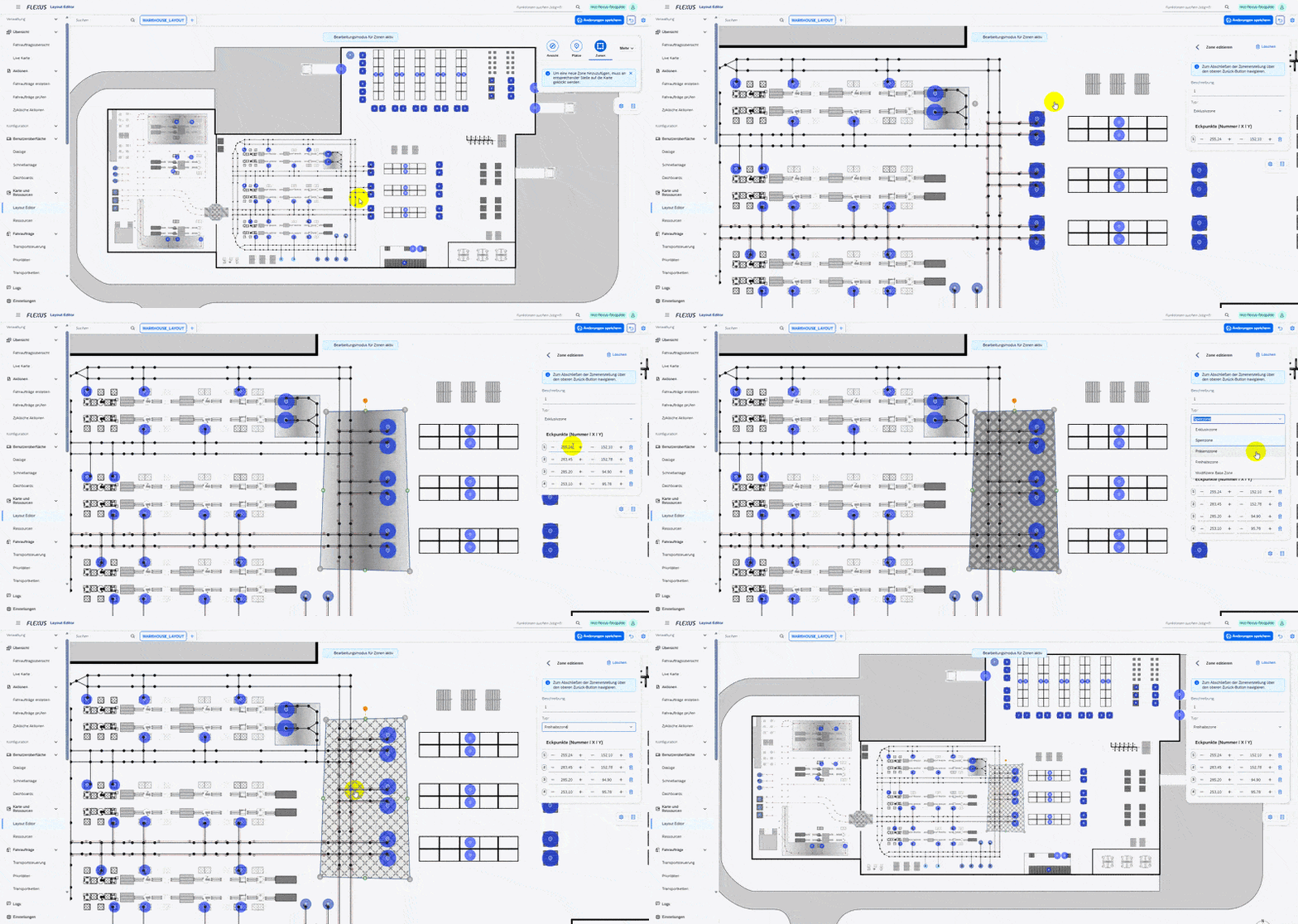
The Layout Editor enables the definition of zones that take area-specific conditions into account. This allows capacity constraints or automation scenarios to be accurately mapped within your layout.
Zone types such as “Exclusive Traffic Zone,” “Locked Traffic Zone,” or “Reporting Zone” reflect real-world operational requirements and help ensure an optimal traffic flow.
Key benefits:
- Simple configuration of essential area-specific settings
- Clear visualization of all defined zones and zone types within the layout
- An intuitive foundation for handling more complex transport scenarios
Live Map: Visualization of Resources
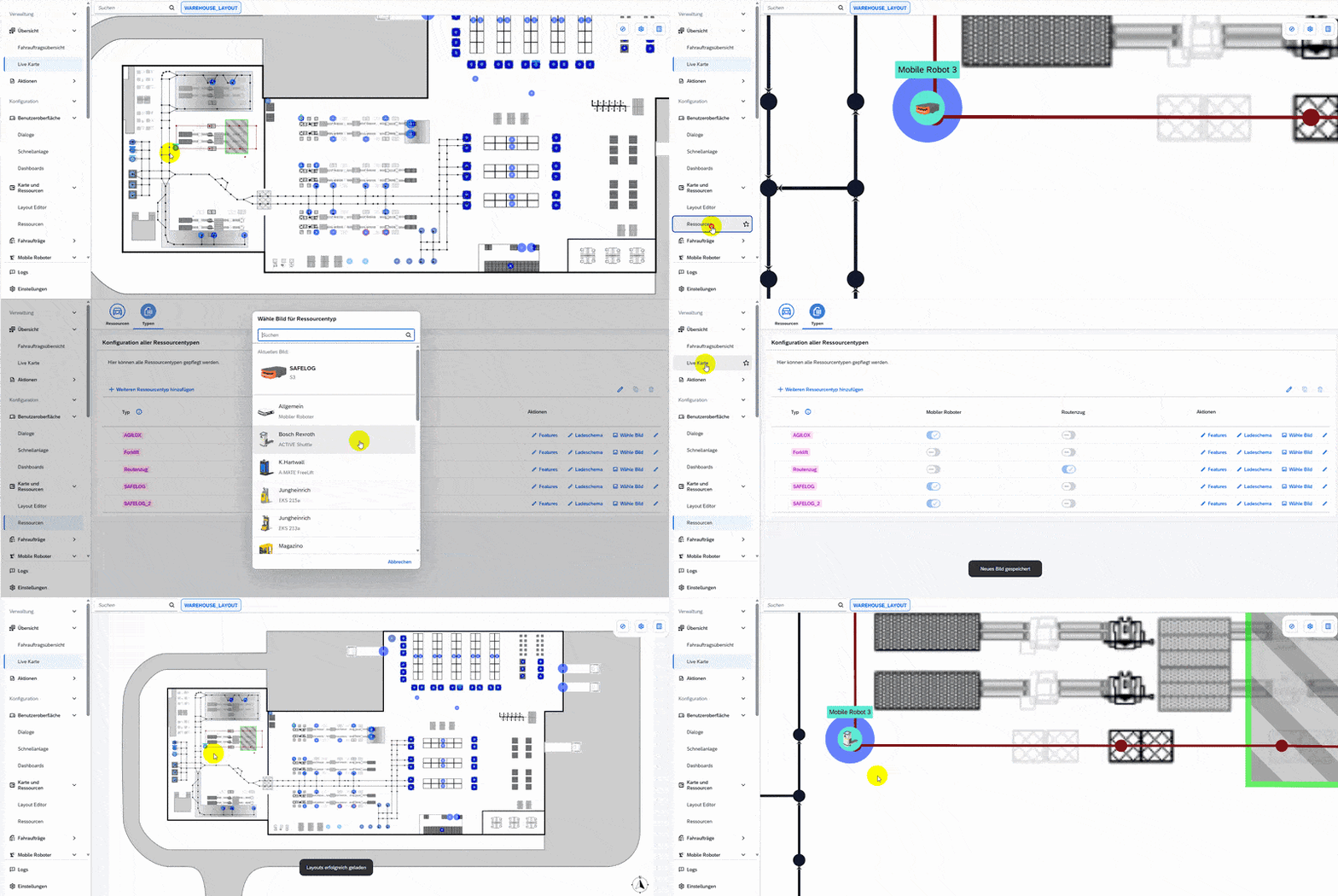
Resource types can be displayed using a central image selection with suitable images or icons. On the Live Map, resource movements are visualized using the chosen images, providing a clear and intuitive view of ongoing operations.
Key benefits:
- Clear visual representation of moving resources on the Live Map
- Easy orientation for drivers when accessing the 2D map
WM Bulk Storage
With the implementation of the WM bulk storage logic, SAP WM processes for complete stock pick and partial withdrawal can now be seamlessly mapped and executed within FlexGuide4.
The bulk storage logic allows the removal of any handling unit from bulk storage without the need to search for a specific pallet. The only requirement is that the driving order information, such as material number and from-station, matches. This significantly simplifies warehouse operations while maintaining alignment with SAP WM processes.
Key benefits:
- Bulk storage-specific driving orders from SAP WM are synchronized and considered in the optimization process
- FlexGuide4 dialogs can be used without system discontinuity to execute driving orders efficiently
Improvements
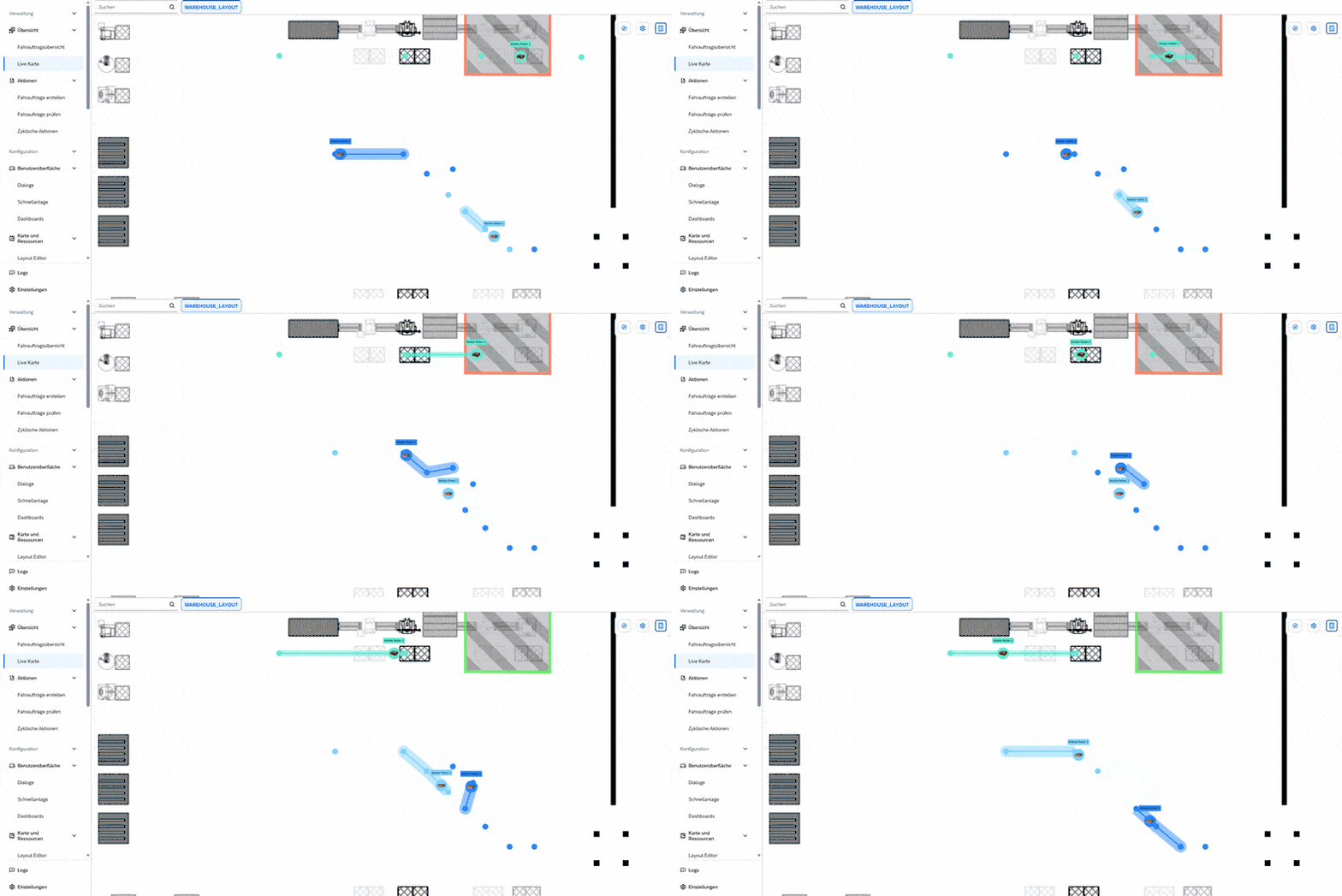
Mobile Robots: Traffic Management
The enhancement of Traffic Management focuses on enabling automated avoidance maneuvers for mobile robots. In the event of traffic blockages caused by mobile robots, so-called deadlocks, the new Traffic Management mechanism detects these situations and automatically resolves them by rerouting the affected tours.
Key benefits:
- Optimized driving logic through more stable path validation and correct blocking of relevant nodes
- Reduced risk of conflicts between vehicles
- More reliable automation of transport processes
Layout Editor: New Editing Capabilities
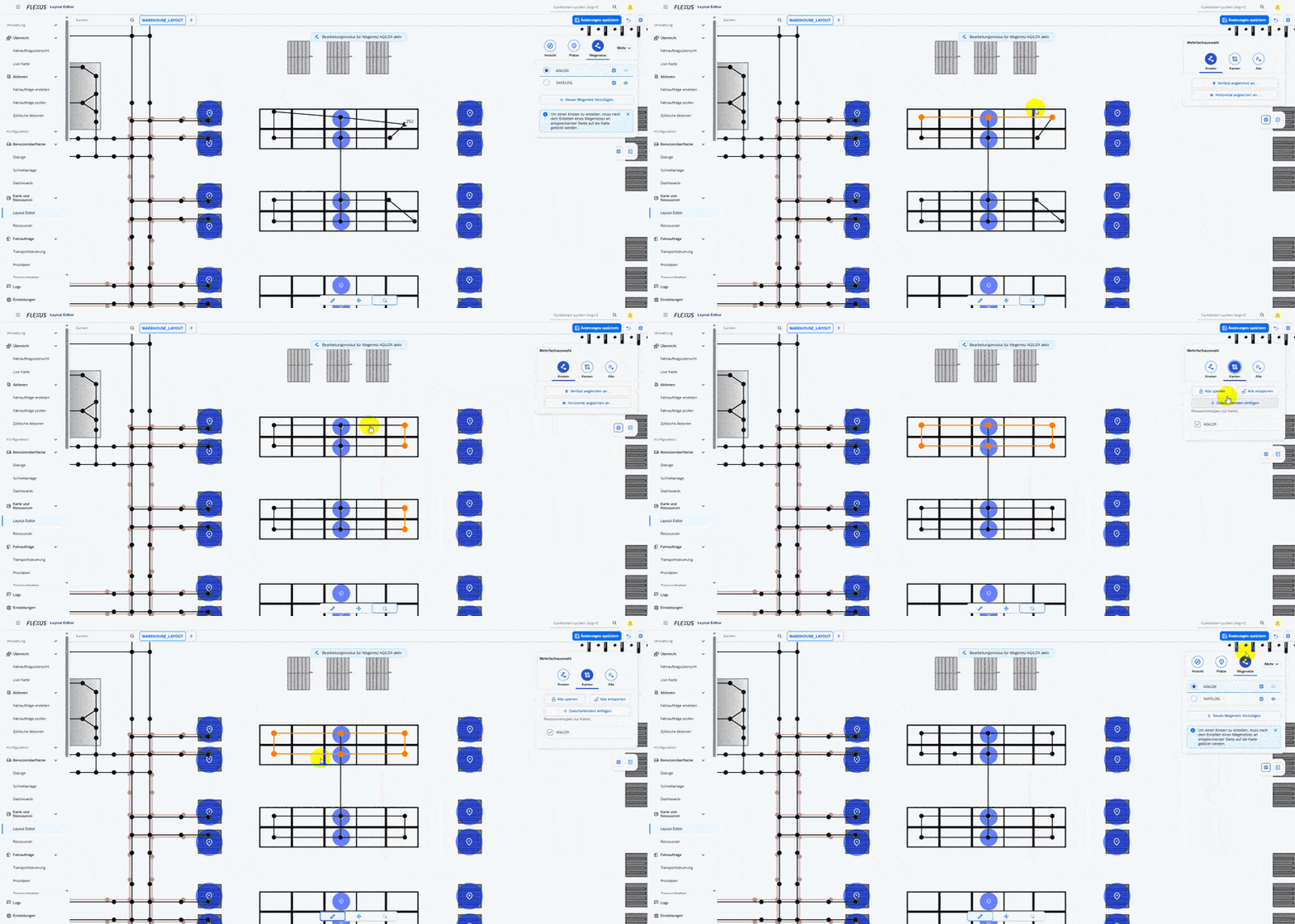
Layout editing has been significantly simplified with new, intuitive features:
- Nodes can be aligned horizontally and vertically to each other.
- Multiple edges can be selected at once, allowing them to be released or blocked simultaneously.
- Existing edges can be extended by adding intermediate nodes.
Key benefits:
- A clean and symmetrically structured layout
- Reduced manual effort and simplified layout maintenance
- Easy and continuous layout updates, for example in the case of temporary blockages
Transport Chains
With the new “Boomerang” chain feature, the placeholder symbol “*” can be used during order creation to automatically link driving orders. This enables the creation of flexible follow-up orders, for example, in scenarios where a container needs to be returned to its original location after being emptied.
In addition, the interaction of chained driving orders has been standardized. If a predecessor order is canceled, confirmed, or set to error, the status of the corresponding follow-up orders is automatically adjusted. As a safeguard, a notification window appears if the state of a predecessor order is changed manually.
Key benefits:
- Time savings through reduced manual input
- Prevention of process errors
- Reduced operational complexity
Validation
When two-step validation is activated, multiple driving orders can now be validated simultaneously. For example, if several handling units are delivered to the same to-station, the end user only needs to scan the to-station once. After that, each handling unit can be dropped and confirmed individually via scan.
Key benefits:
- Reduced scanning time for end users
- Increased overall process efficiency
- Consistently high transparency and accuracy within the process
Priorities
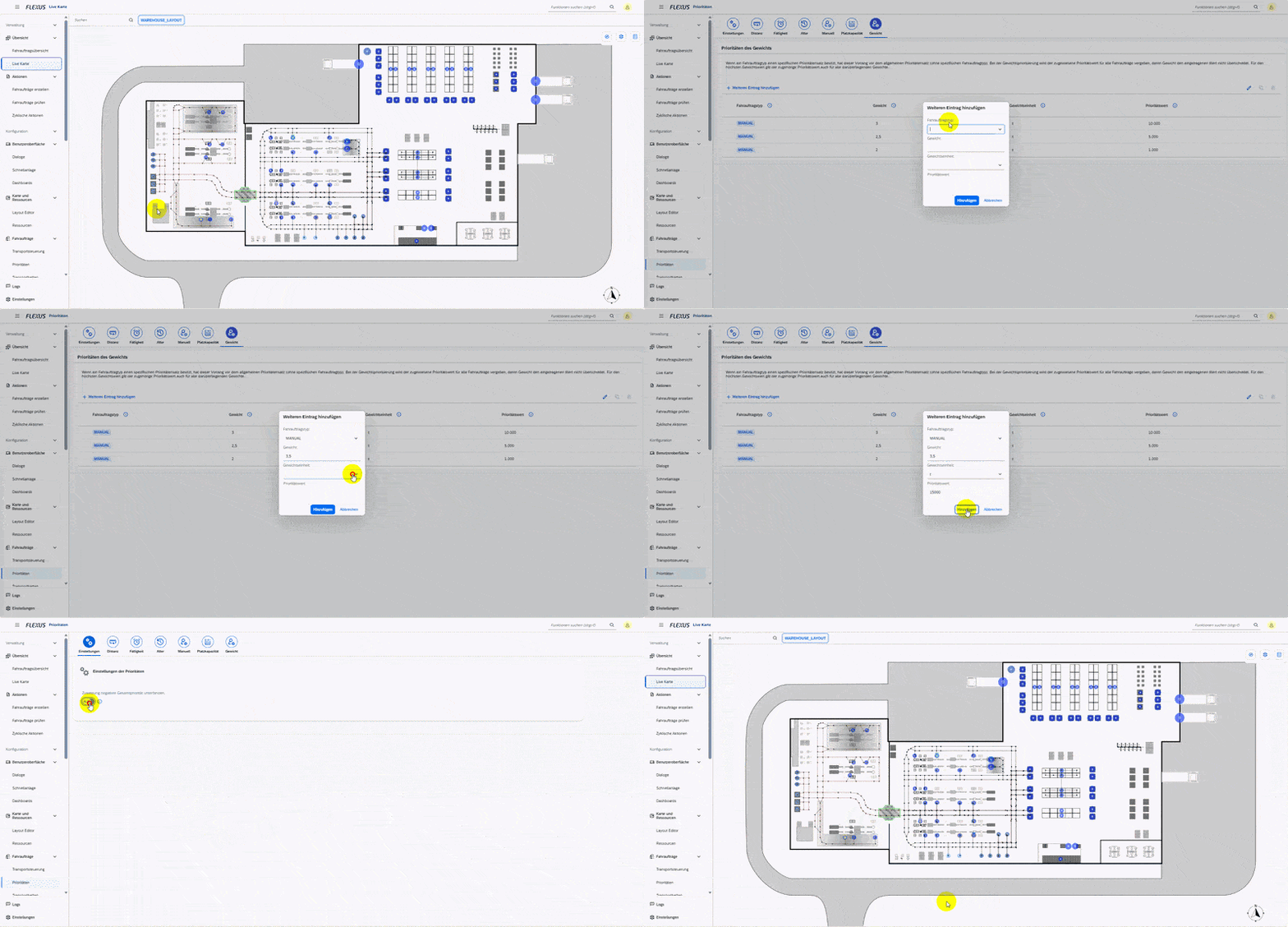
With the new weight-based priority, the weight is now considered in driving order assignment. The priority value is assigned in individually configurable increments, similar to the age priority logic. For each resource type, a maximum load weight can be maintained. Driving orders exceeding this limit are automatically assigned to suitable resources.
When combined with other priority factors, the overall priority of a driving order may become negative. Through configuration settings, users can define whether transport orders with a negative total priority should still be assigned to a resource or excluded from automatic assignment.
Key benefits:
- More realistic priority calculation
- Efficient and meaningful resource allocation
Enhancement of EWM-Synchronisation
The EWM synchronisation has been further enhanced to ensure an even smoother and more transparent flow of information between FlexGuide4 and SAP EWM:
- Completed EWM warehouse tasks can now be created as driving orders in FlexGuide4 based on defined criteria.
- Warehouse tasks in EWM can be posted synchronously per process, instead of exclusively asynchronously, allowing, for example, for error messages from EWM to be returned directly to the user in real time.
- The function to test the synchronization enables reliable validation of configured filters.
- For Flexus resources, the corresponding FlexGuide4 user is now also displayed in the EWM confirmation of the warehouse task.
- The EWM functions have been extended with a table containing packaging materials, which is available for data entry during the creation of a handling unit.
Key benefits:
- Extended and highly customizable interaction options between FlexGuide4 and SAP EWM
- A more realistic, synchronous representation of physical warehouse processes
MQTT-Broker
With the help of the MQTT bridge, it is now possible, as of this release, to easily connect an MQTT broker located within the internal corporate network via the SAP Cloud Connector.
Key benefits:
- Secure and straightforward communication using existing connections
Driving Orders
The logical organization of driving orders within route planning has been improved by introducing group-based categorization. This enables a more differentiated view of transport orders and allows them to be thematically grouped.
As a result, a single group of driving orders can be executed per tour. Group names can be defined individually using a free-text field in driving order creation, providing maximum flexibility to reflect your operational structure.
Key benefits:
- An additional mechanism for structured categorization of driving orders, reducing overall complexity
- Increased transparency in route planning and execution
- A practical solution aligned with real-world operational requirements